
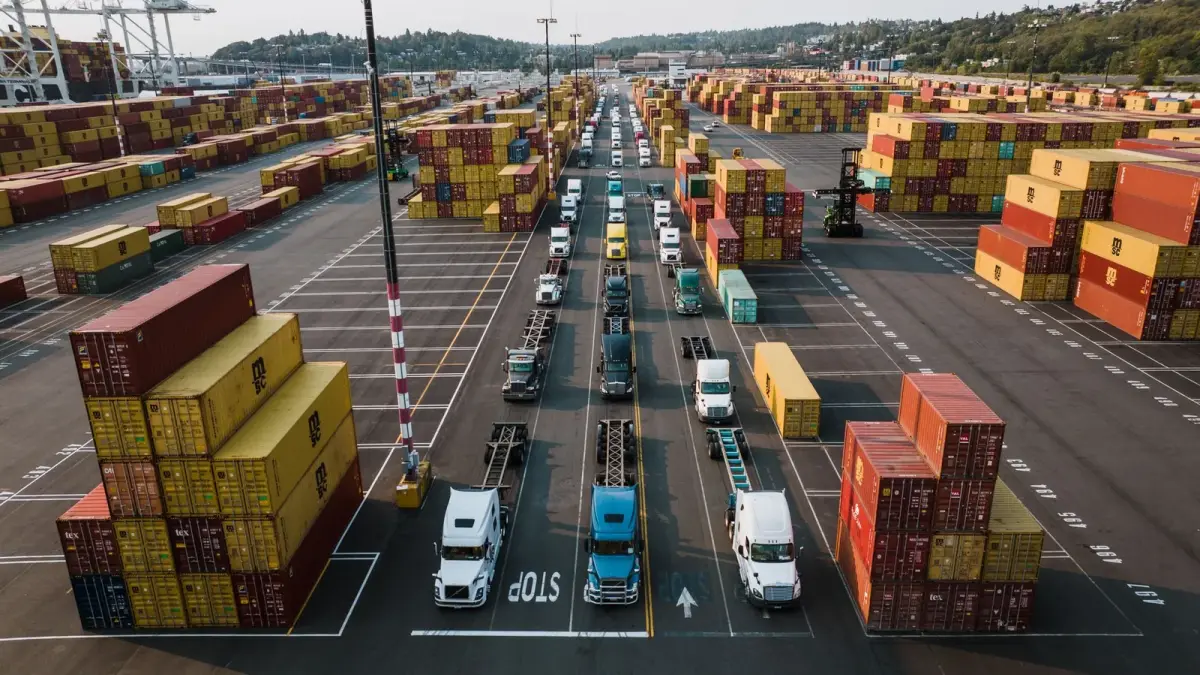
It's 7:40 on a Tuesday morning and a customer wants to know where their truck is. Your WMS says the order shipped at 4:12 yesterday afternoon. Your TMS says in transit. The carrier portal shows a last update from eleven hours ago, somewhere in Indiana. Three systems, three answers, and none of them is the one the customer asked for.
When teams set out to improve supply chain visibility, the first pitch they usually hear is a platform migration: replace the WMS and the dashboards will follow. Usually the WMS isn't the problem. It was built to run four walls, and it runs them well. The blind spots live between the walls.
This guide is the other path: six steps that layer end to end supply chain visibility on top of the ERP, WMS and TMS you already own, proven on one lane before you spend on twenty. For the numbers behind the problem, see our supply chain visibility statistics.
Key Takeaways
- Most visibility gaps sit between facilities, in transit, at handoffs and at partners, not inside your WMS, so layering usually beats a rip and replace.
- Choose events before data sources. A short list of milestones, condition thresholds and expected silences beats a firehose of pings.
- No single source covers the whole lane. EDI 214s, ELD data, dock door RFID and sensor-equipped pallets each see a different slice.
- An alert without an owner is noise. Every exception rule needs a threshold, a named owner, a channel and a deadline.
- Pilot one lane, baseline it first, and judge it on how fast the right person learns about a problem.
Before You Start: Who This Is For and What You'll Need
This guide is for the logistics or supply chain leader who runs an established ERP, WMS and TMS stack, has been told that real time supply chain visibility requires a new platform, and suspects otherwise. The outcome is a working visibility layer on one lane within about a quarter, with owners who act on it.
Be wary of the big rebuild. Panorama Consulting Group's 2026 ERP Report, a survey of 170 organizations, found more than a quarter of them exceeded their project budgets, citing additional technology needs as the leading cause. MuleSoft's 2025 survey of more than 1,050 IT leaders found the average enterprise runs 897 applications, and only 29% are integrated. One more large system rarely fixes that. Connecting the right signals to the systems you have usually does.
What You'll Need
- People: A Small Cross-Functional Team Owners from transportation, the warehouse and customer service, plus someone from IT who knows how data reaches your WMS and TMS. Add finance if you want the results believed.
- Data: Twelve Months of Lane History Shipments, carrier on-time performance, claims, damage and detention for the candidate lanes. This becomes your baseline.
- Tools: Access to Your Existing Integrations The EDI and API connections your TMS already uses and a test environment where new events can land safely.
- Time: About One Quarter for the First Lane A few weeks of mapping and design, then a pilot long enough to see several full cycles of the lane.
Step 1: Map the Blind Spots Your Current Systems Can't See
Before you buy anything, draw the lane. Pick your three most painful lanes and trace one shipment through each, from pick to customer signature. At every step, write down which system knows what, and how late it finds out.
You'll find the gaps cluster in four places.
| Blind Spot | What Your Systems See | What You Need to Know |
|---|---|---|
| Between facilities | Shipped from origin, expected at destination | Where the load is and whether it is still on plan |
| In transit | A handful of carrier status updates | Location and condition between those updates |
| At handoffs | A signature, sometimes a photo | Who had custody, when, and in what condition |
| At partners | Whatever the partner chooses to send | Dwell, staging and returns at sites you don't run |
Walk One Load From Order to Signature
Follow the paperwork for one recent load: the ERP order, the WMS pick and ship records, the TMS tender and status messages, the bill of lading, the proof of delivery and any claim. Line them up by timestamp. The empty stretches on that timeline are your visibility problem, written in your own data.
Multi tier supply chain visibility belongs on the map too. Mark where a contract manufacturer's or 3PL's data stops and yours begins. You don't need to fix tier two this quarter, only to know where it goes dark.
Pro Tip
Rank each blind spot by what it cost you last year in claims, expedites, detention or lost product. That ranking picks your pilot lane in Step 6 and gives finance a reason to care.
Step 2: Choose the Events That Should Change a Decision
Visibility isn't a map full of dots. Decide which changes matter before you decide how to capture them.
GS1's EPCIS traceability standard is a useful template: it frames every event around the what, when, where, why and how of products and assets. If a candidate event can't answer those questions, it isn't ready to drive a decision.
Three Kinds of Events Worth Capturing
- Milestones Arrived at pickup, departed, arrived at delivery, unloaded. These tell you the plan is on track, and most carriers already send them.
- Condition Events A temperature, humidity or shock threshold crossed, or a load dropped. These tell you the product may be compromised, and carriers rarely send them.
- Expected Silences A load that should be moving but isn't, or a pallet that should sit still but moved. The absence of an event when you expected one is an event too.
Write each event as a sentence a dispatcher would understand. "Load has not departed origin 60 minutes after its appointment" is an event. "Track location" isn't.
Watch Out
More events don't mean more visibility. A team that gets a ping every 15 minutes for every load stops reading them within a week. Capture what changes a decision and let everything else stay quiet.
Visibility isn't knowing where everything is. It's knowing, in time, when something is wrong.
Step 3: Pick Data Sources That Cover Every Blind Spot
Now match each event to a source that can see it. Every source below is good at something and goes dark somewhere. Cover each blind spot from Step 1 with at least one source you trust.
Carrier Feeds and the EDI 214
The X12 214 Transportation Carrier Shipment Status Message is the standard way carriers report where a load stands. The X12 code list includes status codes such as X3 (arrived at pickup location), AF (carrier departed pickup location with shipment), X6 (en route to delivery location), X1 (arrived at delivery location) and CD (carrier departed delivery location). It's standard and probably already flowing into your TMS.
Its limits are timing and coverage. One TMS vendor's published 214 specification notes that statuses may be sent singly or all together depending on when data is entered and how the scheduler is set, so a 214 tells you what someone recorded, whenever the batch ran. And with 91.5% of U.S. carriers running 10 or fewer trucks, per the American Trucking Associations, many carriers on regional lanes may not send structured status data at all.
Telematics and ELD Data
Since December 18, 2017, federal rules have required most interstate motor carriers to have drivers record duty status on electronic logging devices. An ELD logs the truck's location at each duty status change and at least once an hour while it is moving, accurate to roughly a mile. That's useful for an ETA, but it's a driver compliance record, not a shipment record: the device belongs to the carrier, follows the tractor rather than your freight, and you see its data only if the carrier agrees to share it.
RFID at Dock Doors
Passive RFID at dock doors is excellent at what it was built for: confirming which tagged pallets crossed which door, and when, without a scan gun. Between readers it sees nothing, the honest limit we covered in what RFID pallet tracking actually tells you. Use it to close the in-building and handoff gaps, not the in-transit one.
Sensor-Equipped Pallets
A pallet with an embedded cellular GPS and condition sensor reports from inside the load: location, temperature, humidity and shock. It doesn't depend on carrier systems, door readers or a partner's willingness to share, so it travels with the freight through every blind spot in Step 1. The tradeoff: it works on pallets you get back, so closed-loop lanes fit best.
Ocean and International Legs
Global supply chain visibility follows the same logic with longer gaps. Sea-Intelligence measured global container schedule reliability at 49.9% in August 2026, with late vessels arriving an average of 6.81 days behind. The Digital Container Shipping Association's Track & Trace 3.0.0, published in September 2026, adds IoT and reefer events, but goes public only in the second half of 2027. On ocean legs, blend carrier events with your own device data.
| Data Source | Best At | Goes Dark | Depends On |
|---|---|---|---|
| EDI 214 and carrier APIs | Milestones and appointments | Between status updates | Carrier sending data |
| ELD and telematics | Truck location and ETA | Inside the trailer | Carrier sharing access |
| Dock door RFID | Which pallets crossed which door | Everywhere between readers | Readers at each site |
| Sensor-equipped pallets | Location and condition of the load | Pallets outside your loop | Pallets coming back to you |
Step 4: Integrate Through APIs or a Control Tower, Not a New WMS
This is the step that convinces people they need a new WMS. They usually don't. The WMS stays the system of record for inventory, orders, picks and receipts. The visibility layer sits beside it, takes in events from every source, cleans them up, and hands back only what the WMS and TMS need. We built our own Pulse platform on that principle: it connects to the WMS and ERP you already run.
Three Ways to Wire It
- Direct APIs Each source feeds your TMS or WMS through its API. Fast for two sources, brittle at six.
- An Integration Layer Middleware converts every source's events into one format and pushes the relevant ones to each system. More setup, far easier to extend.
- A Control Tower A visibility application on top of the integration layer, where people see the lane, work exceptions and report. Worth it when several teams work the same exceptions across many lanes. For a single lane, it's more than you need.
Agree on One Key Before You Connect Anything
Most integration pain comes from identifiers, not APIs. Decide which reference ties everything together: shipment number, purchase order, bill of lading or pallet ID. Every source must carry it or be mapped to it, or its events land as orphans. Then decide which system owns each field, so two systems never argue about the same ETA.
Keep the write-back small. Your WMS probably needs three things from the visibility layer: a revised arrival estimate, an exception flag on an inbound load, and the condition record at receipt. Everything else can wait in the visibility layer.
Watch Out
Don't let the integration work grow into a platform evaluation. If you find yourself scoring supply chain visibility solutions on forty features, go back to Step 2 and check which events you actually need.
Step 5: Write Exception Rules and Name an Owner for Each
An exception rule turns an event into a job: a trigger, a threshold, a duration, an owner, a channel and a response deadline. Leave out the owner and you've built an expensive notification.
| Exception | Rule | Owner | Respond Within |
|---|---|---|---|
| Late departure | Not departed 60 minutes after appointment | Transportation planner | 30 minutes |
| Unplanned stop | Stationary over 90 minutes away from a known site | Transportation planner | 30 minutes |
| Temperature excursion | Outside product limits for 15 minutes | Quality lead | 15 minutes |
| Shock event | Impact above the load's tolerance | Customer service | Before delivery |
Route each exception to wherever its owner already works, whether that's email, text or a TMS queue, and log how it closed: fixed, accepted or claimed.
Keep the Record Like Evidence
Exception records double as your claims file. Under the Carmack Amendment, a carrier may not give you less than 9 months to file a claim, or less than 2 years to sue after a claim is disallowed. Keep timestamped records at least that long, so a dispute in month eight isn't settled by whoever remembers best. Our post on Incoterms and proof shows how three readings can decide who owns a loss.
Pro Tip
Start with five rules, not fifty. Add one only when a real incident demands it, and retire any rule nobody has acted on in a month.
Step 6: Pilot One Lane Before You Scale
Pick one lane where the pain is real and measurable: high value, frequent claims, temperature sensitivity, or a partner whose dwell you suspect but can't prove. Baseline it from the last twelve months before anything ships.
A Worked Example: One Lane, Ten Weeks
This is an illustration, not a client case or an APS quote: a food manufacturer shipping from a plant outside Chicago to a customer DC near Columbus, Ohio.
| Assumption | Value |
|---|---|
| Loads per week | 40 truckloads, 2,080 a year |
| Pallets per load | 26 |
| Carriers on the lane | 3, two sending EDI 214s and one by email |
| Milestone updates per load today | 4: pickup, departure, arrival, unload |
| Loads with a problem last year | 2.5%, or 52 loads |
| Median time from problem to discovery | 14 hours, usually at receiving |
Today the lane produces about 8,320 milestone updates a year, and the team still learns about most problems at receiving. The pilot adds location and condition events from sensor-equipped pallets between those milestones, plus the exception rules from Step 5.
Over ten weeks the lane moves 400 loads and 10,400 pallet trips. At last year's 2.5% rate, expect about 10 problem loads. That's too few to prove a drop in claims, so judge the pilot on how fast the team learned about each problem and what it did with the time. If discovery falls from 14 hours to under one, and half of those loads were rerouted, rechecked or flagged before delivery, the lane has made its case. If not, the closure log shows where the chain broke: a missing event, a bad threshold, or an owner who wasn't watching.
Pro Tip
Choose a closed-loop lane for the first pilot if you can. The pallets come back, the same sites repeat every cycle, and the baseline stays clean.
How to Measure Whether You Improved Supply Chain Visibility
Visibility is a means, not the result. Measure it by how fast the right person learns about a problem and what the lane costs afterward.
| Metric | How to Calculate | What Good Looks Like |
|---|---|---|
| Event coverage | Planned events received, per load | Nearly every planned event on every load |
| Time to know | Minutes from event to owner acknowledgment | Minutes, not hours |
| Exception closure | Share of exceptions closed with an action | Rising month over month |
| False alerts | Share of alerts closed as no action needed | Falling as thresholds settle |
| Lane outcomes | Claims, expedites, dwell and loss versus baseline | Moving the right way after a full cycle |
The first four lines tell you whether the layer works. The last tells you whether it paid. For the full KPI set, from dwell time to OTIF, use our supply chain intelligence guide rather than building a scorecard from scratch.
When to Add the Next Lane
- Coverage Is Stable Events arrive on nearly every load and the identifiers match without manual cleanup.
- Owners Are Acting Exceptions close with an action, and the share of false alerts keeps falling.
Then copy what worked to the next lane, rules and owners included. As each lane adds its in-transit stock to what the WMS already sees, inventory visibility in the supply chain stops ending at the dock door.
Where Smart Pallets Fit in a Layered Visibility Stack
We build one of the data sources in Step 3, so here's where it fits and where it doesn't.
APS Smart Pallets carry an embedded sensor module, built into the pallet rather than bolted on, with cellular GPS location plus temperature, humidity and shock. They need no scanning, no facility infrastructure and no carrier cooperation, so they cover the trailer, the cross-dock you don't run and the partner site where pallets sit. Each pallet also carries an RFID tag for the in-DC scanning workflows you already have.
Our Pulse platform works by exception. When conditions are normal the pallet stays quiet. When it moves or a threshold is crossed, it logs a timestamped, geolocated event, and Pulse routes the exception to the right person. That's Steps 2 and 5 built into the source, plus dwell time by facility and lane and a timestamped chain of custody at every handoff. Pulse also connects to your WMS and ERP rather than asking your team to work in a second system. You can see how the sensor works on our technology page.
The honest limits: Smart Pallets fit closed-loop programs, where pallets come back to you, and they won't replace your carriers' 214s or appointment data. They sit beside your WMS, TMS and carrier feeds as the layer that reports from the load itself.
They also arrive with something you already buy. The program is an all-inclusive monthly lease designed to price at or below what companies pay for wood pallet programs, and the pallets are 100% recycled HDPE (here's why plastic matters, and how the savings add up). If you want to test it on the lane you picked in Step 6, Let's Talk.
Sources
- Panorama Consulting Group, “The 2026 ERP Report,” 2026
- Salesforce, “2025 MuleSoft Connectivity Benchmark Report” findings, January 29, 2025
- GS1, “EPCIS & CBV” standard overview, accessed 2026
- American Trucking Associations, “ATA Releases Latest Edition of American Trucking Trends,” August 28, 2025
- Stedi, “X12 004010 214 Transportation Carrier Shipment Status Message,” accessed 2026
- Stedi, “X12 004010 Element 1650, Shipment Status Code,” accessed 2026
- Aljex, “Transaction 214, Motor Carrier Shipment Status Message, LME Generic Specification, Version 4010,” December 2015
- eCFR, 49 CFR 395.8, “Driver's record of duty status,” current as of 2026
- eCFR, 49 CFR 395.26, “ELD data automatically recorded,” current as of 2026
- eCFR, 49 CFR Part 395, Appendix A to Subpart B, “Functional Specifications for All Electronic Logging Devices,” section 4.3.1.6, current as of 2026
- Sea-Intelligence, “Global Schedule Reliability Continues to Plummet in August,” September 29, 2026
- Digital Container Shipping Association, “DCSA Publishes Track & Trace 3.0.0, Expanding Standard to Cover IoT and Reefer Visibility,” September 30, 2026
- Legal Information Institute, 49 U.S. Code § 14706, “Liability of carriers under receipts and bills of lading” (Carmack Amendment), accessed 2026
FAQ
What Does Supply Chain Visibility Require?
Three things: events that describe what changed, data sources that can see those events on every leg, and owners who act when something goes wrong. Software ties them together, and the WMS you already run can stay the system of record.
Can You Improve Supply Chain Visibility Without Replacing Your WMS?
Yes, in most cases. The WMS manages inventory inside four walls, while the blind spots sit between facilities, in transit, at handoffs and at partners. A visibility layer connected through APIs or a control tower can capture those events and write back only what the WMS needs.
What Is an EDI 214, and Is It Enough for Real-Time Visibility?
An EDI 214 is the X12 Transportation Carrier Shipment Status Message that carriers use to report milestones such as arrival at pickup, departure and arrival at delivery. It's useful and usually already in your TMS, but it reports only when a carrier records a status, says little about product condition, and many small carriers don't send it.
What Is the Difference Between End-to-End and Real-Time Supply Chain Visibility?
End to end visibility in supply chain terms is about coverage: seeing every leg and handoff from supplier to customer. Real-time is about latency: learning about a change while there's still time to act. You can have one without the other; aim for both on the events that matter.
How Long Should a Supply Chain Visibility Pilot Run?
Long enough to cover several full cycles of the lane and enough problem loads to judge response time, which for a busy truckload lane is usually two to three months. Set the baseline from last year's records first, and judge the pilot on time to know and exception closure, not only claims.
Featured Posts From the APS Blog
What RFID Pallet Tracking Actually Tells You (And What It Doesn't)
What gets packaged and sold as smart pallet technology is, in most cases, a ten-cent sticker on a rickety wooden pallet. Here is what passive RFID can and cannot see.
 Rodrigo CastroCo-Founder & President5 min read
Pallets, Paperwork, and Proof: How Two of the Least Sexy Industries Finally Found Each Other
Incoterms decide the exact point where risk transfers from seller to buyer. Almost nobody has the data to enforce what they are supposed to guarantee.
Rodrigo CastroCo-Founder & President6 min read
How a Viral Cargo Theft Made the Case for Smart Pallets
Cargo theft losses across the US and Canada surged 60% to nearly $725 million, with food and beverage hit hardest and automotive supply chains increasingly exposed.
Rodrigo CastroCo-Founder & President5 min read