

A pallet leaves your distribution center at 6 a.m. Someone scans the label at the dock door, and the WMS marks the load shipped. The next time any system hears about that pallet is when a receiver 300 miles away scans it again. Or does not. Everything in between is a guess.
Closing that gap is the work of pallet tracking. The methods differ more than the marketing suggests: some record that a pallet passed a point, others report from the pallet itself. This guide walks through each method, what the data can tell you, how alerts should reach people and what it takes to set up a program your partners will use.
We make Smart Pallets with a sensor built into the pallet, so where our own product comes up we say so. The pallet reports by exception over existing cellular and Bluetooth networks, and Pulse, our platform, routes each exception to the person who can act on it. Every outside figure in this guide comes from a named source you can check.
Key Takeaways
- Three questions sit behind pallet tracking: where the pallet is, what happened to it and who had it. Most methods answer only the first, and only at fixed points.
- The GS1 SSCC on a barcode label identifies the load on the pallet, not the pallet itself. GS1 gives returnable assets such as pallets their own key, the GRAI.
- GS1 puts the read range of passive UHF RFID tags at several meters, up to 15 in very special cases. Between read points, nothing is recorded.
- A cellular IoT sensor reports from anywhere with network coverage, with no readers or receivers to install at your sites or your partners' sites.
- Alerts work when each one has an owner. Exception reporting stays quiet until a pallet moves, crosses a threshold or stops reporting.
What Pallet Tracking Covers
Pallet tracking is any method that records where a pallet is and what happened to it as it moves through your network. Done well, it is the base layer of supply chain visibility, because the pallet travels with the product through every handoff, from the plant to the 3PL to the customer's dock.
Two different things get tracked, and they are easy to confuse. The first is the load: the cases and stretch wrap that make up one shipment. GS1, the standards body behind retail barcodes, identifies that load with a Serial Shipping Container Code. The second is the pallet under the load, a returnable asset. GS1 gives returnable assets such as pallets, crates and beer kegs their own key, the Global Returnable Asset Identifier, which can identify them by type and, if needed, one by one. In a closed loop both records matter. The load is delivered once. The pallet comes back and goes out again.
- Identity Which load or which pallet this is, read from a label, a tag or a device ID.
- Location Where the pallet was last seen, and how long it has been sitting there.
- Condition What the pallet and its load went through on the way, measured as temperature, humidity and impact.
- Custody Who had the pallet at each handoff, with a timestamp both sides can check.
Most methods handle identity well. They differ on the other three, and those three are where damage claims, spoiled loads and missing pallets come from.
Key Takeaway
Before comparing methods, decide which questions you need answered between sites. Each method covers a different mix of identity, location, condition and custody.
Pallet Tracking Methods Compared
Four methods do most of the work in pallet tracking today. Two of them, barcode tracking and passive RFID, record that a pallet passed a point where a scanner or reader sits. The other two, Bluetooth Low Energy tags and cellular IoT sensors, put a powered radio on the pallet so it can be found away from a fixed read point. Our pallet technology buyer's guide covers the radio side from the tag up. What follows is the short version.
| Method | What gets read | Infrastructure you provide | Between sites |
|---|---|---|---|
| Barcode and SSCC label | A printed label, one scan at a time | Scanners and the people using them | Nothing recorded |
| Passive RFID | A tag ID at a fixed reader | Portals or handheld readers | Nothing recorded |
| BLE tag | A tag located by nearby receivers | Receivers in each building | Only near a receiver |
| Cellular IoT sensor | Location and condition from the pallet | None beyond the mobile network | Reports wherever there is coverage |
Barcode Tracking & the SSCC Label
Barcode tracking is the most familiar method, and it is still how loads move between trading partners. The label that matters on a pallet is the SSCC label. Under the GS1 Logistic Label Guideline (Release 1.3, July 2019), the only mandatory requirement is that each logistic unit carries a unique Serial Shipping Container Code, an 18-digit number encoded in a GS1-128 barcode under application identifier (00). The full definition sits in the GS1 SSCC standard. Scanning it matches the physical load to the electronic messages about it, such as the advance ship notice your customer receives.
GS1 also says where the label goes. The barcode belongs between 16 and 32 inches (400 to 800 mm) above the base of the pallet, and GS1 recommends labeling two sides with the same data so one label is always visible.
Barcode tracking has two limits. Every read needs a person or a scanner and a label in good shape, and GS1's own support notes say optical labels can easily be ripped, scraped or peeled off. The second limit matters more in a closed loop. The SSCC identifies the load, so when the load is broken down at the customer's dock the label goes in the trash, and the pallet underneath goes back to being anonymous. Keep the SSCC label. A pallet with its own sensor works alongside it and keeps a record the label was never built to carry.
RFID Pallet Tracking at Read Points
RFID pallet tracking swaps the scan for a radio read. A passive tag has no battery and no transmitter. It draws power from the reader's signal and answers by reflecting that signal back, which GS1 calls backscatter. GS1's guidance, updated in August 2024, puts the read range of passive UHF (RAIN) tags at typically several meters, up to 15 meters in very special cases, and up to 20 meters with high-sensitivity phased array readers. Active tags, which usually carry their own power source and broadcast without waiting for a reader, reach 100 meters or more.
That makes RFID strong inside buildings you control: receiving, putaway, cycle counts. APS pallets include RFID tags for in-DC and in-warehouse scanning workflows, alongside the embedded cellular hardware. The limit is structural. A passive tag only answers when a reader is in range, so between the dock door in one city and the dock door in the next, an RFID pallet records nothing at all.
We made that case at length in what RFID pallet tracking tells you, and the conclusion still holds. RFID does its own job very well. Reporting from the road was never that job.
BLE Tracking & Cellular IoT Sensors
BLE tracking puts a small battery-powered Bluetooth Low Energy tag on the pallet. Receivers that know their own position pick up the tag's signal and estimate where it is, which is how the Bluetooth SIG's Asset Tracking Profile, adopted in January 2021, describes the job of a locator. The Bluetooth SIG says reliable range runs from less than a meter to more than a kilometer, depending on the radio, transmit power, antennas and path loss. Inside a building with receivers, that is a good fit. Outside the receivers' reach, the tag has nobody to talk to.
IoT pallet tracking with a cellular module removes the receivers. The device carries its own connection to the mobile network, so it can report from a highway, a cross-dock or a customer's yard wherever there is coverage. The GSMA, the mobile operators' industry body, describes the low-power cellular standards built for this kind of device, LTE-M and NB-IoT, as designed for low data rates and long battery lives, with battery life measured in years and more than 10 years for some applications.
Location on a cellular device usually comes from GPS. GPS.gov puts a GPS-enabled smartphone at about 4.9 meters (16 feet) of accuracy under open sky, and notes that accuracy worsens near buildings, bridges and trees. The sensor built into an APS Smart Pallet reports over existing cellular and Bluetooth networks, with no fixed readers and no dock hardware. What it adds over a location tag is condition: temperature, humidity and shock, measured at the pallet itself.
Key Takeaway
Barcodes and passive RFID tell you a pallet passed a point. BLE tells you where it is inside a building with receivers. A cellular sensor reports wherever the mobile network reaches.
Pallet Tracking Data & What It Tells You
A tracking method is only as useful as the questions its data can answer. Our technology page puts the idea this way: “One reading is a data point. A thousand readings on the same lane become a track record, one that flags the next problem before it costs you anything.” The readings fall into two groups, where the pallet is and what it went through, and each group serves a different team. For the KPIs pallet data can feed, see our guide to turning pallet data into decisions across a network.
Location & Dwell Time
Location tells you where a pallet is. Dwell time tells you how long it has been there, and dwell is usually the number that changes a decision. A pallet that sits for weeks at a customer's DC is a pallet you are paying for and not using.
Trucks show what dwell costs. In a January 2018 report, the U.S. Department of Transportation's Office of Inspector General estimated that a 15-minute increase in average dwell time, the total time a truck spends at a facility, raises the expected crash rate by 6.2 percent. Based on 2013 data, it also estimated that detention is associated with $1.1 billion to $1.3 billion less in annual earnings for for-hire truckload drivers, and $250.6 million to $302.9 million less in carriers' net income. The OIG was clear that these are estimates, because accurate industry-wide data on driver detention did not exist. That gap is the point: dwell that is not measured is not managed.
Pallet dwell follows the same logic one level down. Our technology page describes a case most networks know: one facility turns pallets in two days, another takes six, and there is no data to say why. Dwell time by facility and by lane turns that into something a manager can fix. Location history also shows where pallets leak out of a closed loop, which sites hold them longest and which lanes lose them.
Temperature, Humidity & Shock
Condition data answers a different question: what happened to the load while nobody was watching. Each reading has its own job.
- Temperature Shows whether a temperature-sensitive load stayed inside its range, and when and where it left. Under the FDA's Sanitary Transportation rule, a carrier that has taken on temperature control under a written agreement can be asked to show it held the shipper's operating temperature, and 21 CFR 1.908 names time and temperature data taken during the shipment as one way to do it.
- Humidity Flags conditions that can cause moisture damage to packaging and product mid-transit, before the damage turns into a write-off at delivery.
- Shock Records when and where an impact crossed a set G-force limit, so a damaged load arrives with a time and a place attached to the damage.
- What Silence Means In an exception-based system, no alert is information too. Three days in a DC with no temperature or shock alerts tells you no reading crossed the thresholds you set.
Silence only counts if the device is alive, so a good system tells the two apart. On our technology page the rule is simple: a missing report is itself a signal, and Pulse flags the gap so you know to investigate rather than silently losing sight of that pallet.
Exception Alerts & Who Receives Them
We built our sensor around a plain idea: you should hear from a pallet when something is wrong, and otherwise not at all. The sensors don't stream data constantly like a dashcam. They behave more like a smoke detector, quiet while conditions are normal and awake when the pallet moves, a temperature crosses its threshold or a shock exceeds its G-force limit. Our technology page sums up the design: “You do not monitor 100,000 pallets, you see only what needs your attention.”
Routing is the job of Pulse & the built-in sensor working together. Pulse flags the exception and routes it to the right person on the right channel, by push, email or SMS. The person who can act is the person who gets told.
Routing only works if you decide in advance who owns each kind of alert. The table below is a starting map, not a rulebook. Set the thresholds and the owners with your own team, lane by lane.
| Exception | Who should receive it | First action |
|---|---|---|
| Temperature outside the set range | Quality or food safety lead | Hold the load and assess it before it is sold or used |
| Shock above the G-force limit | Receiving lead at the destination | Inspect the load before signing for it |
| Unplanned stop or route deviation | Transportation or security lead | Call the carrier and confirm the stop |
| Dwell past the limit at a site | Network or fleet operations | Ask the site why pallets are sitting there |
| Pallet stopped reporting | Fleet owner for that loop | Check the last known location and investigate |
For food that needs temperature control, the first row has a federal rule behind it. Under 21 CFR 1.908, when a shipper, loader, receiver or carrier becomes aware of a possible material failure of temperature control, the food shall not be sold or otherwise distributed unless a qualified individual determines the deviation did not render it unsafe. An alert that reaches the quality lead while the truck is still moving gives that person time to decide before it backs into the dock.
Rule of Thumb
Give every alert type one named owner and one first action. If nobody would act on an alert, raise its threshold or switch it off.
Pallet Tracking System Setup & Integration
Every pallet tracking system has three parts: the label, tag or device on the pallet, the infrastructure that reads it, and the pallet tracking software that turns readings into decisions. Infrastructure is where the methods split hardest. Barcode programs need scanners and people at every node. RFID needs portals or handhelds at each dock you want to see, and BLE needs receivers in each building. A cellular sensor needs none of these, which matters most at the sites you do not run, such as a 3PL, a co-packer or a customer DC.
- Map the Loop List every site a pallet touches, partner and customer sites included, and mark each handoff where custody changes hands.
- Set Readings & Thresholds Choose the readings each lane needs and the limit that should trigger an alert. A frozen lane and a dry-goods lane need different settings.
- Agree on One Key Decide how the pallet's ID links to the SSCC on the load and the order in your WMS, so an alert lands on the right shipment.
- Connect Your Systems Send exceptions and custody events into the WMS and ERP your team already works in. Ask any vendor whether it can share events in GS1's EPCIS 2.0, which added sensor data, a JSON syntax and a REST API.
- Route Alerts to Owners Load the owner map from the section above and test it with a staged exception before go-live.
- Pilot One Lane Start with a single lane or a defined pallet count, record a baseline, then scale where the data proves its value.
On our side, Pulse connects to the WMS and ERP you already run, so your team does not have to work in a second system. The data stays yours: Pulse is your record of custody, condition and location, available to export or integrate into your own systems at any time, and every reading is independently timestamped at the moment it happens.
For the integration work in more depth, from APIs to control towers to the one-key problem, read our guide to improving visibility without replacing your WMS step by step.
Choosing Trackable Plastic Pallets With Built-In Sensors
There are two ways to make a pallet trackable: attach a device to it, or build the device into it. Attached devices work, but they add steps. As our technology page puts it, RFID usually gives you an alert or a ping at a read point, and a GPS unit has to be bolted on and set up to connect. A sensor built into the pallet skips those steps and does condition monitoring out of the box.
When you compare trackable plastic pallets, check these six points.
- Sensor Built In The sensor should be part of the pallet, so it travels on every trip, including the empty return.
- Readings Matched to Your Risk Location, temperature, humidity and shock are where most programs start. Our module carries more, and the set is configured to the scope of your program rather than fixed.
- Exception Reporting Alerts when something changes or crosses a threshold, plus a flag when a pallet stops reporting.
- No New Infrastructure Reporting over existing networks, with no fixed readers or dock hardware at your sites or your partners' sites.
- A Pallet Built for the Loop The APS 48 x 40 is 100% recycled HDPE and weighs 55.75 lb. Its spec sheet rates it at 30,000 lb static, 5,000 lb dynamic and 2,800 lb racked, from -20 F to 140 F, with pallets and technology made in the USA.
- One Commercial Model One flat monthly lease covers the pallet, the sensor and Pulse, with no separate hardware purchase, no add-on data plan and no software license. It is designed to price at or below what companies already pay for traditional wood pallet programs.
Fit matters as much as features. An APS Smart Pallet lease is built for closed loops, where pallets cycle between your sites, partners and customers and come back. Retrieval, repair and recycling stay on our side of the fence, and when a pallet reaches end of life, we take it back. If your pallets ship one way and never return, the SSCC label on each load stays your main record. An APS Smart Pallet lease fits the loops that do close, and most partners start with a single lane or a defined pallet count before scaling.
A pallet that waits to be scanned can tell you where it was. A pallet that reports when something changes can tell you what to do next. If you want to see what your own lanes would show, send us the lanes, the volumes and the compliance regime you answer to, and an APS expert will scope Smart Pallets for your operation.
Pallet Tracking FAQ
How Do You Track a Pallet?
You track a pallet by giving it an identity and a way to be read. The simplest option is a GS1 SSCC barcode label scanned at each handoff. Passive RFID tags are read automatically at portals, typically within several meters. BLE tags are located by receivers inside a building, and cellular IoT sensors report location and condition wherever there is network coverage. Choose by what you need to know between sites.
What Is the Difference Between RFID & GPS Pallet Tracking?
RFID records that a pallet passed a reader. A passive tag has no battery and answers only when a reader is in range, typically several meters according to GS1. GPS pallet tracking uses a powered device that works out its own position from satellites and reports it over a network, so it can show where a pallet is between sites. Paired with sensors, it can also report temperature, humidity and shock.
Does Pallet Tracking Need New Warehouse Hardware?
It depends on the method. Barcode tracking needs scanners, RFID needs portals or handheld readers at each read point, and BLE needs receivers in each building. Cellular IoT sensors report over existing mobile networks, so they need no readers at your docks or your partners' docks. The sensor in an APS Smart Pallet reports over existing cellular and Bluetooth networks, with no fixed readers, no dock hardware and no WMS overhaul.
Sources
- GS1, Serial Shipping Container Code (SSCC)
- GS1, GS1 Logistic Label Guideline, Release 1.3, ratified July 2019
- GS1, Global Returnable Asset Identifier (GRAI) executive summary, 2015
- GS1 Support, What is the read range for a typical RFID tag?, updated August 30, 2024
- GS1 Support, What is the difference between passive and active tags?, updated August 30, 2024
- GS1 Support, Can RAIN RFID work in harsh environment?, updated August 30, 2024
- GS1, EPCIS and CBV standard page
- Bluetooth SIG, Understanding Bluetooth range
- Bluetooth SIG, Asset Tracking Profile v1.0, adopted January 12, 2021
- GSMA, Mobile IoT (LPWA)
- GPS.gov, GPS Accuracy (archived page)
- U.S. DOT Office of Inspector General, Report ST2018019, Estimates Show Commercial Driver Detention Increases Crash Risks and Costs, January 31, 2018
- eCFR, 21 CFR 1.908, What requirements apply to transportation operations?
- Adaptive Pallet Solutions, Smart Pallet Technology
- Adaptive Pallet Solutions, The Adaptive Pallet Model 48x40 spec sheet, 2026
- Adaptive Pallet Solutions, Is RFID Pallet Tracking Really Real-Time?
- Adaptive Pallet Solutions, Pallets, Paperwork, and Proof
Featured Posts From the APS Blog
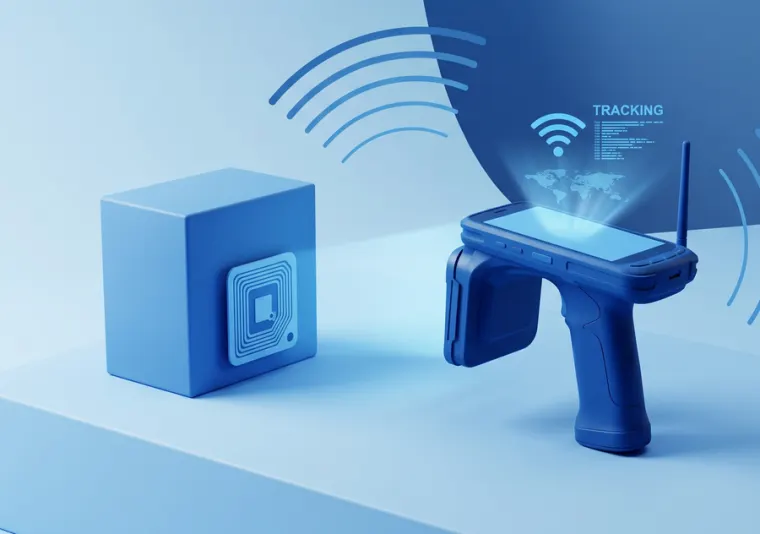
What RFID Pallet Tracking Actually Tells You (And What It Doesn't)
What gets packaged and sold as smart pallet technology is, in most cases, a ten-cent sticker on a rickety wooden pallet. Here is what passive RFID can and cannot see.
 Rodrigo CastroCo-Founder & President5 min read

Pallets, Paperwork, and Proof: How Two of the Least Sexy Industries Finally Found Each Other
Incoterms decide the exact point where risk transfers from seller to buyer. Almost nobody has the data to enforce what they are supposed to guarantee.
Rodrigo CastroCo-Founder & President6 min read
How a Viral Cargo Theft Made the Case for Smart Pallets
Cargo theft losses across the US and Canada surged 60% to nearly $725 million, with food and beverage hit hardest and automotive supply chains increasingly exposed.
Rodrigo CastroCo-Founder & President5 min read